What shipped
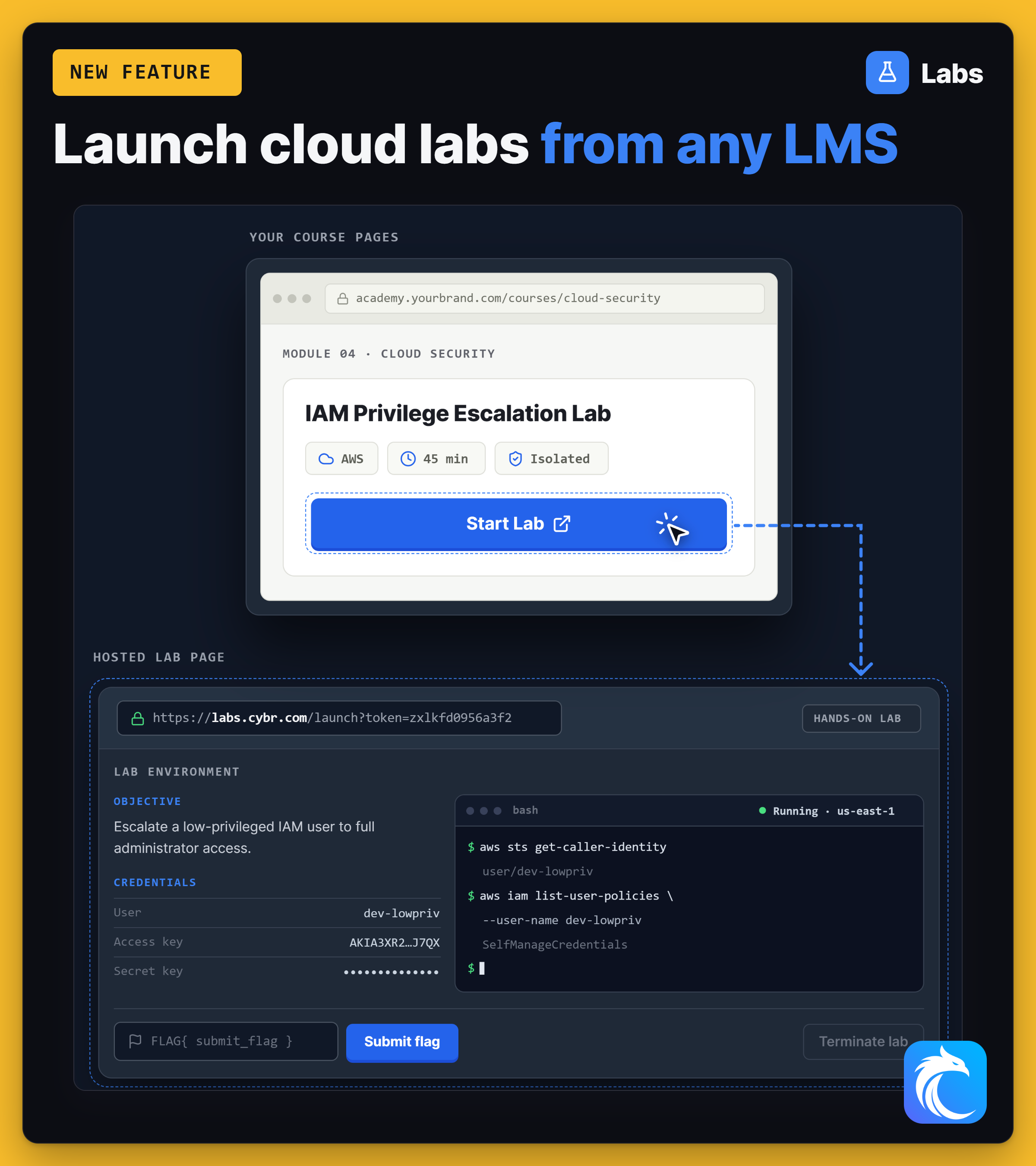
Every lab in your catalog now has a page that we host and run. A learner opens the link, clicks launch, waits for the environment, and works in it there.
You add a lab to a course by pasting its link. There is no plugin to install, no backend change, and no API calls to write.
Why we built it
The SDK assumes you can put code on the page where the lab appears. Plenty of teams cannot. The course lives in a platform someone else controls, or the engineers who could change it are booked for the next two quarters.
A link has none of those dependencies. Anything that can hold a link can now hold a lab: a course lesson, a documentation page, a workshop slide, an email to a customer.
What the learner gets
The page carries the whole session, not just the launch button:
- The lab guide, when the lab has one: objectives, steps, and knowledge checks.
- A terminal in the browser, so there is nothing to install locally.
- Console access and temporary credentials for the environment.
- The lab's own web app, when the lab runs one, on a secure address that lasts for the session.
- Reference links and downloads the lab author attached.
When the session ends, we tear the environment down. The learner does not have to remember to clean anything up, and neither do you.
How it relates to the SDK
Hosted Lab Pages and the SDK deliver the same labs. The difference is who owns the page around them.
Hosted pages suit teams with little or no engineering time. The SDK suits teams who want the lab inside their own product, under their own design. You can start with hosted pages and move to the SDK later without rebuilding the labs.
White labeling is available, so a hosted page can carry your brand instead of ours.
See everything else that shipped on the changelog, or what's coming next on the roadmap.